Create Fashion Concepts Guided by Your Brand DNA.
Turn catalog references and reviewed brand guidelines into new creative variations. Inspect Brand Fidelity when scoring data is available, keep source prompts and feedback together, and review each concept before using it in a campaign.
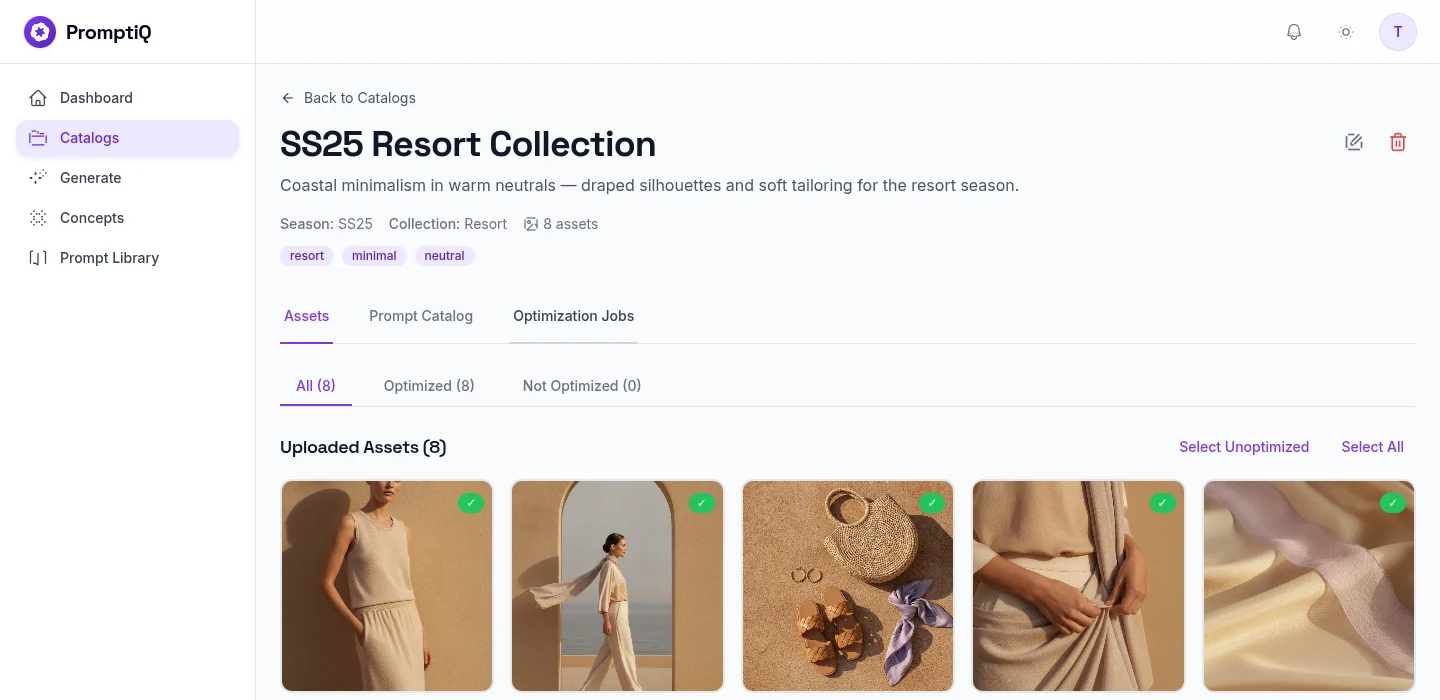
From Catalog References to Reviewed Concepts
A catalog-grounded workflow for creative teams, with explicit guidelines, available scores and human review.
Upload References and Review Brand DNA
Add catalog images you are entitled to use. Configure your house style, palette and avoid-list, or preview source-supported suggestions. Review the proposal, apply it to your draft, and save explicitly.






Optimize and Inspect Alignment
Choose a quality target and iteration budget. Inspect the best prompt, available fidelity scores and pass-by-pass trajectory. Reaching the target is not guaranteed, and a score does not replace creative review.
Generate, Compare and Review Variations
Approved administrators can generate concepts with optional Brand DNA infusion and configured brand models. Catalog variations retain source references and can be scored against source and brand context. Review the result, then keep feedback with the concept.
Fluid ivory linen midi dress, relaxed drape, natural directional lighting, luxury editorial styling…
used 24× in campaignBrand Standard MetInspect Alignment Before You Approve
Compare generated concepts with available source and catalog context on a calibrated 0–100 scale. Use the score, optimization trajectory and your own review together. Scores depend on usable reference data and are not automatic approval or a guarantee of brand accuracy.
- Catalog and source-aware visual comparison when data is available
- Visible optimization history and configurable iteration limits
- Human review before commercial use
Illustrative interface — sample values, not live telemetry or a customer benchmark.
Reuse Your Guidelines and Stronger Examples
Review and save structured house guidelines, preview catalog-derived additions, and optionally infuse them into new prompts. Eligible high-scoring catalog optimizations can become exemplars for later prompts and vocabulary; the workspace shows what has actually been banked.
- Eight optional guideline dimensions, including an explicit avoid-list
- Synthesis preview, apply-to-draft and explicit Save
- Available exemplar counts, prompts and vocabulary
Ivory linen resort dress, directional lighting
Tailored wool overcoat, architectural silhouette
Silk slip dress, soft ambient shadow
Provider-Backed Training and Comparison
Eligible workspaces with configured providers can train and serve brand-specific models. Compare model-assisted and base-pipeline results, and inspect whether a model was actually applied. This is not a dedicated per-customer compute or provider-retention guarantee.
- Training and serving depend on eligibility, configuration and provider availability
- Model-applied and fallback attribution stays visible
- Side-by-side comparison with scores when available
Base exampleModel exampleKeep Context and Feedback With Each Concept
Retain source catalog and asset references, prompts, available fidelity, generation details and editable feedback. Private API access checks organization membership. These records help review work; they are not immutable certificates, legal clearance or regulatory certification.
- Source lineage retained for catalog-based variations
- Revision-checked notes with explicit save failures
- Authenticated workspace access; editing and generation remain administrator-restricted
Stop Shipping Generic AI. Scale Your House Style.
Unconstrained AI models drift into plastic, off-brand aesthetics that make consistent creative review harder. PromptiQ brings catalog references, reviewed guidelines and available alignment scores into one workflow. The illustrations below are not a measured model or customer benchmark.
Off-palette, plastic textures, visual drift


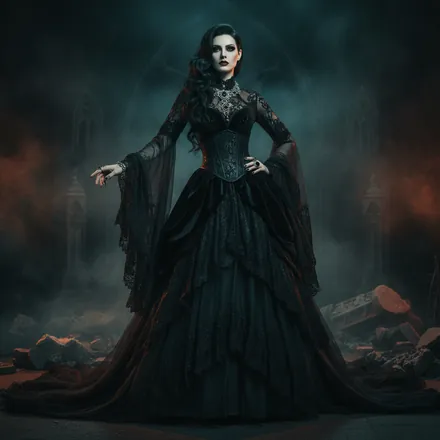
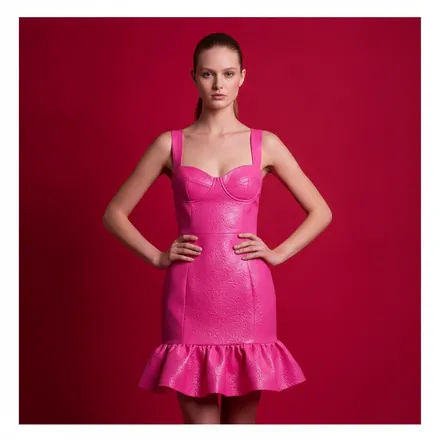
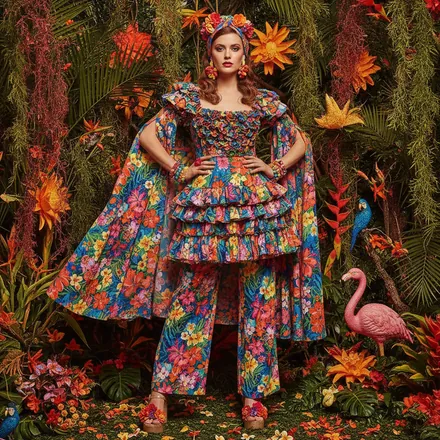



Example only — not a measured customer result
A more cohesive illustrative collection


Example only — human review remains necessary
Creative Workflow Options
Workflow descriptions, not measured cost, legal or performance guarantees
| Capability / Metric | Traditional Studio | Generic AI Tools | PromptiQ Engine |
|---|---|---|---|
| Production costs | Production and licensing costs vary | Provider and iteration costs vary | Provider usage varies by model, quality and iterations |
| Workflow | Plan, capture and edit original photography | Prompt and review in the chosen tool | Catalog references, guidelines, optimization and concept review |
| Brand alignment | Creative direction and review | Depends on references, model and review | Guidelines and available fidelity scores support human review |
| Commercial rights | Check commissioned work and usage licenses | Check provider terms and source rights | Check provider/model terms and source rights; no copyright guarantee |
| Creative records | Depends on production workflow | Depends on tool and configuration | Saved prompts, source references, available scores and feedback |
Use references and reviewed guidelines to guide new concepts
Inspect available fidelity scores rather than assume automatic approval
Keep source references and persistent notes with your work
Calibrate Your Brand DNA. Scale Your Next Campaign.
Explore catalog-grounded creative work with reviewed brand guidelines, available fidelity scores and persistent feedback. New accounts are read-only; contact us to discuss administrator-enabled generation and optional model availability.
Generation and training use configured providers. Review their terms before uploading confidential material.
Current Workspace Capabilities
- Catalog upload and reviewed Brand DNA guidelines
- Authenticated organization-scoped workspace access
- Available fidelity scores and optimization history for review
- Source references and revision-checked creative feedback
- Optional model training when eligibility and providers permit
Frequently Asked Questions
End Photoshoot Bottlenecks. Protect Your Brand DNA.
Bring your catalog and house guidelines into a reviewable creative workflow. Inspect available fidelity, compare variations and keep your feedback together.